Your whole school, in one place
Students, timetables, attendance, grades, fees, documents and messages in one system, with a portal where parents and teachers see what concerns them. In Greek and in English.
Free forever for up to 5 students. No card, no trial clock.
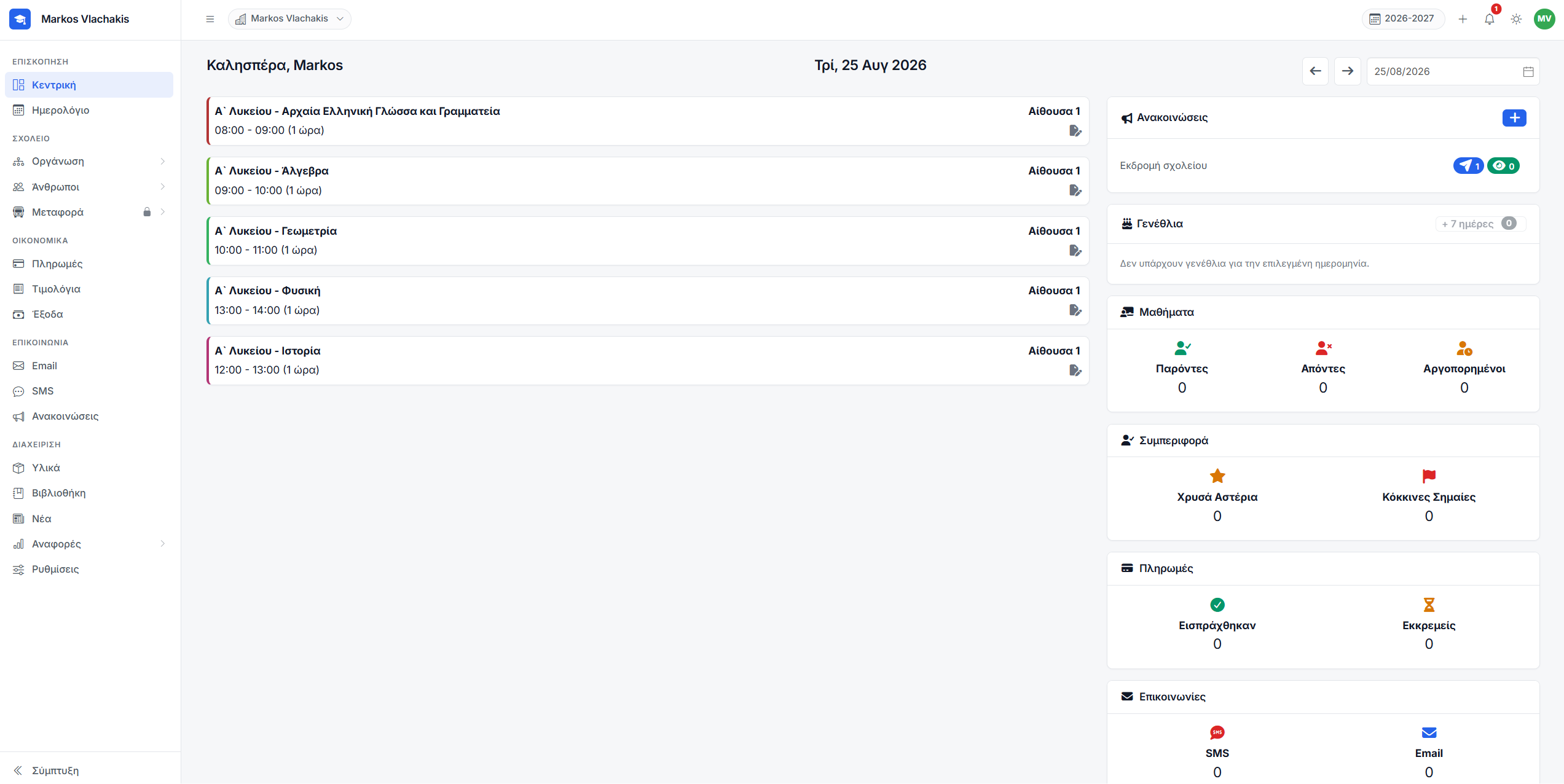
One system instead of six
Most schools run a register in one place, fees in a spreadsheet, messages in a phone group and consent forms on paper. This replaces all of it.
Students and families
One record per child with everything about them on it. Guardians are linked to their children, so a parent of three appears once rather than three times.
Timetable and register
A timetable that will not double-book a teacher or a room. Attendance, behaviour and grades are taken in the lesson itself, as it happens.
Fees and invoices
Instalments per student, overdue tracking and expenses, with invoices numbered the way Greek law requires. Parents pay online, and the money goes straight to your own account.
Messaging, email and SMS
Write to a section or the whole school from your own address, send SMS under your own school name — and for everything else, one-to-one messages inside the system.
Documents and e-signatures
Write a consent form once, issue it per student, and send a link. Parents sign in the browser without an account.
Portals for everyone else
Parents, students, teachers and staff each get their own area — and you decide how much of it they see.
The parts not every school wants
A nursery has no gradebook and a tutoring centre serves no lunch. These switch on and off per school, without losing anything.
Grades
A gradebook per section, with scales and assessment types you define yourself. Teachers fill in their own subjects, and it prints exactly as it appears on screen.
Meal plan
A weekly menu you can print for the noticeboard, and a daily record of what each child ate — from the office or from a teacher’s phone.
Transport
Routes, buses and stops, a boarding log the driver keeps on a phone, and — if you allow it — the bus’s live position for the parents at the stop.
Everyone sees their own part of it
No shared password, no group chat, no "did you get my message?". Each person signs in to their own area and finds what concerns them.
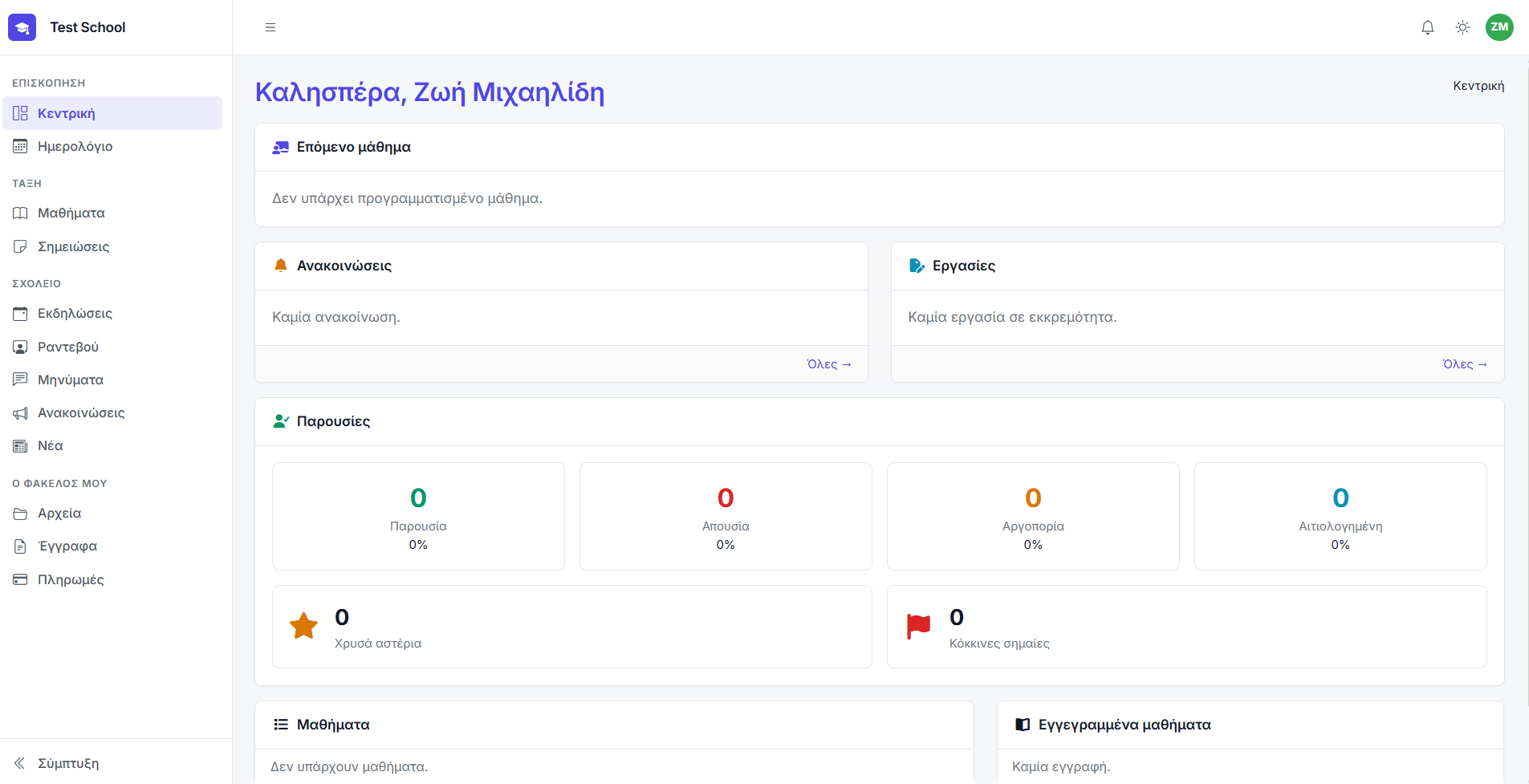
The family portal
- Today’s lesson and the full calendar
- Attendance, behaviour notes and grades
- Documents to read and sign
- Fees, receipts and online payment
- Messages with the child’s teachers
- Announcements, news and shared files
- The bus, the stop and the times
A parent with three children switches between them at the top of the page.
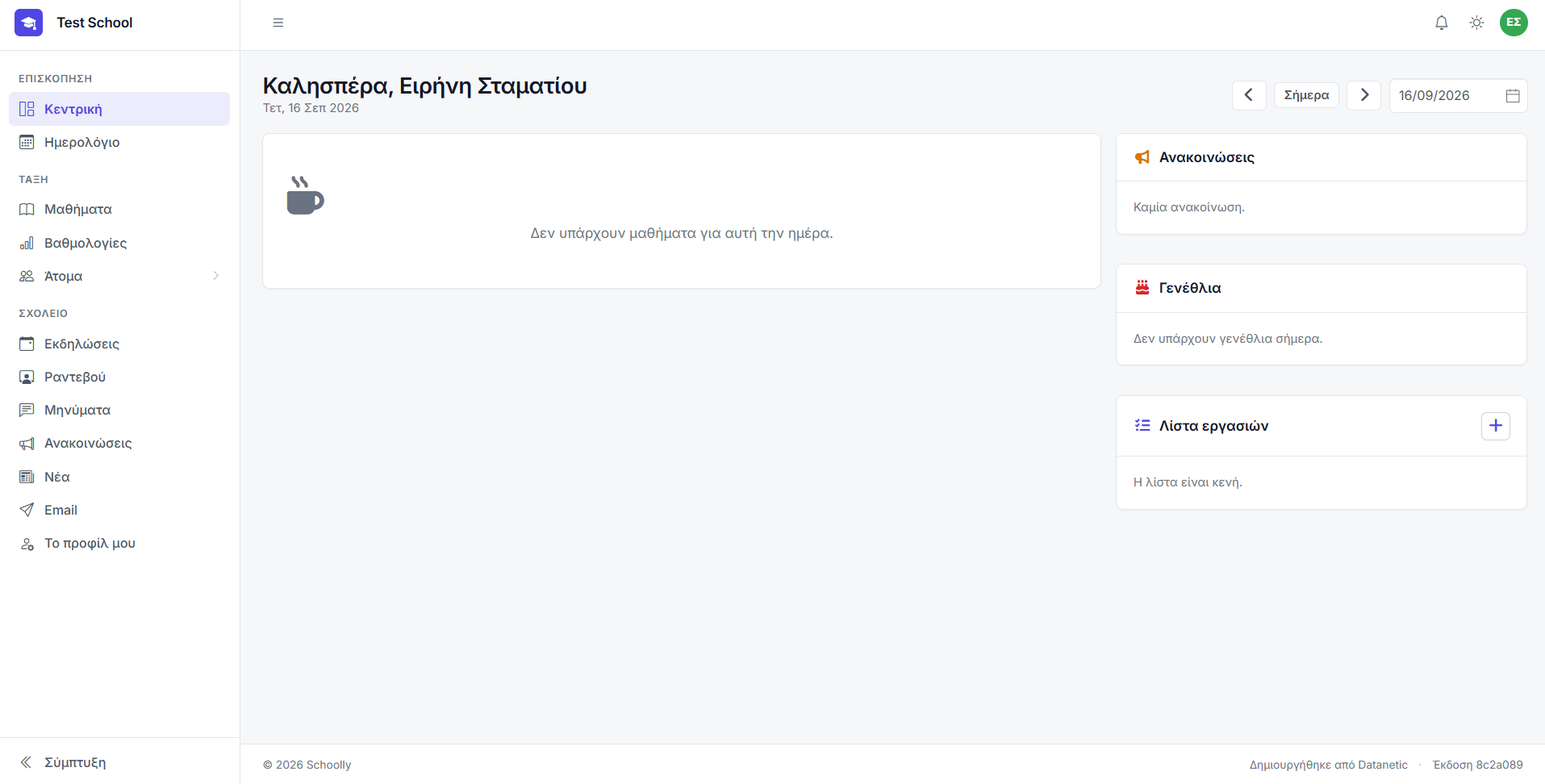
The staff portal
- The day’s lessons, with a register button
- Their own gradebook, their own subjects only
- Assignments, with the material attached
- Their students, and those students’ contacts
- Messages with their families and with the office
- Email, SMS and announcements to their own classes
Built to work on a phone, because that is where a register gets taken.
Set up in an afternoon
The dashboard walks you through it step by step. Nothing has to be finished before you can use the rest.
Create your school
Pick the type — nursery, school or tutoring centre — and the classes, subjects and grading scales are set up to match.
Bring your people in
Move students, teachers and contacts across from a spreadsheet. Every row is checked before anything is saved.
Build the timetable
Sections tie a subject to a teacher, a room and weekly hours. Conflicts are caught as you make them.
Open the portals
Invite families and staff by email. They set their own password, and stop phoning the office to ask.
Priced by how many students you have
Every plan has the whole system in it. The only thing that changes is how many students you can enrol in a teaching period — and the free one never expires.
- A permanent free plan for up to 5 students — not a trial
- Unlimited teachers, staff, contacts and leads on every paid plan
- If a subscription lapses your data stays readable — you just cannot add new students
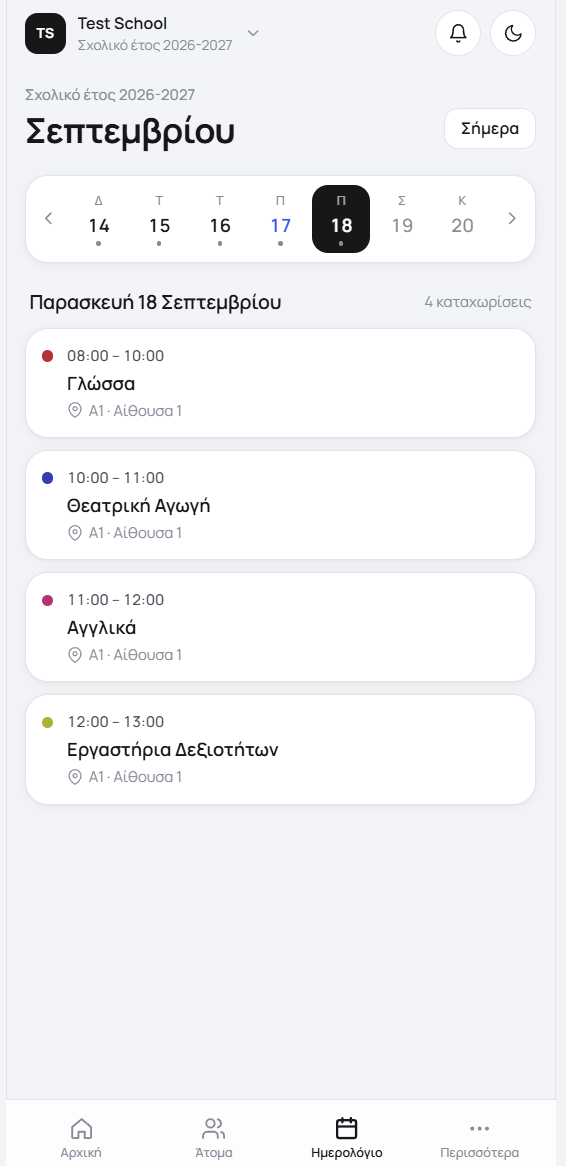
The portal, in their pocket
Parents, students and teachers get everything in their portal as an app — with a notification the moment there is something new, instead of an email nobody opens.
- Notifications for messages, grades and announcements
- Attendance, the timetable and the calendar at a glance
- Fees and receipts, with online payment
- The same sign-in as the web portal
Start with your real school, not a demo database
The free plan takes five students and never expires: set up one class properly and see whether it fits, before anyone pays for anything.
No card required · Free forever for up to 5 students