Everything a school actually has to keep track of
The full list, grouped the way the app is. The optional modules and the paid add-on are marked where they appear.
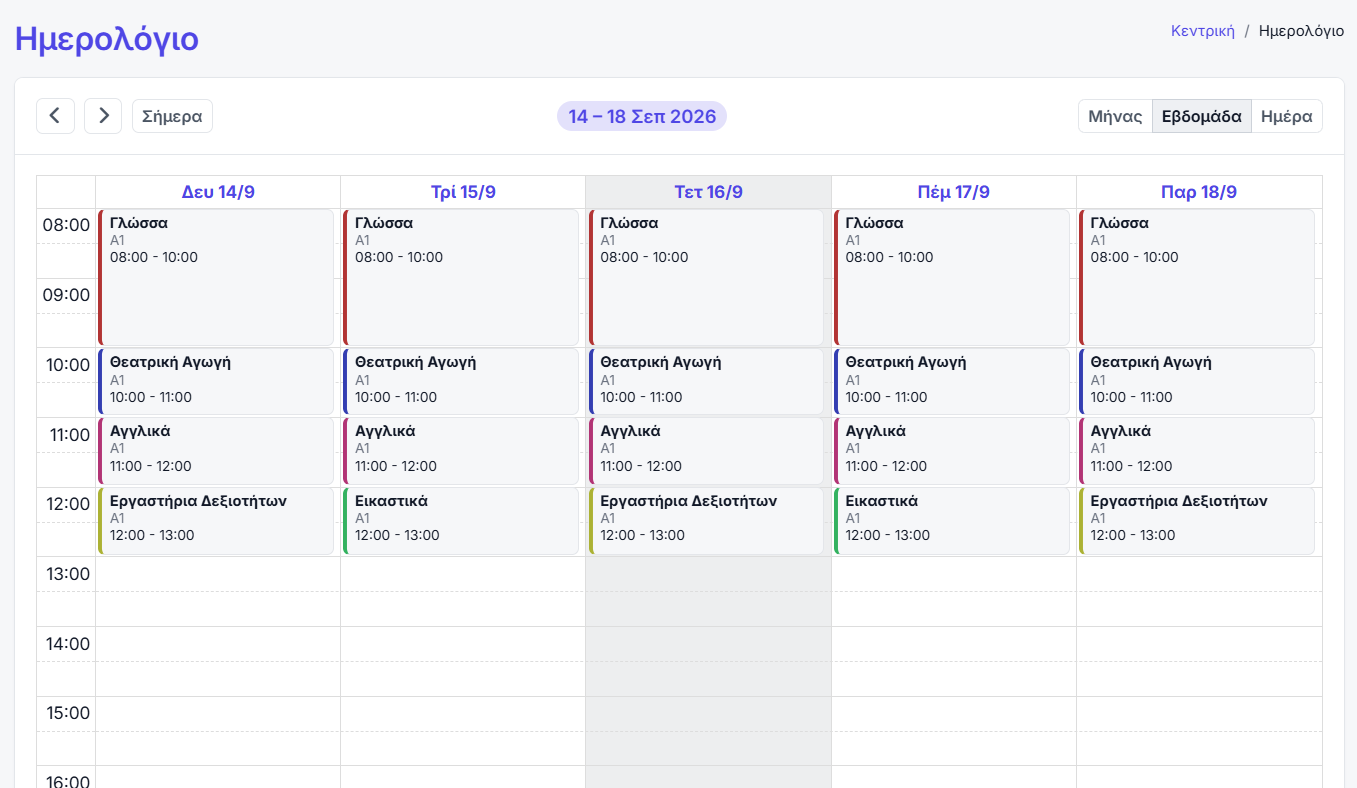
Teaching periods, classes and the timetable
Everything belongs to a school year, so last year cannot contaminate this year. Moving into a new year copies across what you choose, one step at a time.
- Teaching periods — every record belongs to a year, and the year you are working in drives the whole interface.
- Year rollover — a guided transfer of classes, subjects, sections, people and portals into the new year.
- Classes and progressions — year groups that match your school type, with a route from each class to the next.
- Subjects — per class, with weekly hours, a colour and their own grading scale.
- Sections — a teacher, a group of students, a room and a weekly schedule — with no double-booking of either the teacher or the room.
- The lesson register — attendance, behaviour, grades, whether the lesson was held or cancelled, and notes.
- Assignments — for the whole class or for named students only, with the material attached.
- Rooms and holidays — respected by the timetable and the reminders alike.
Students, contacts, teachers and staff
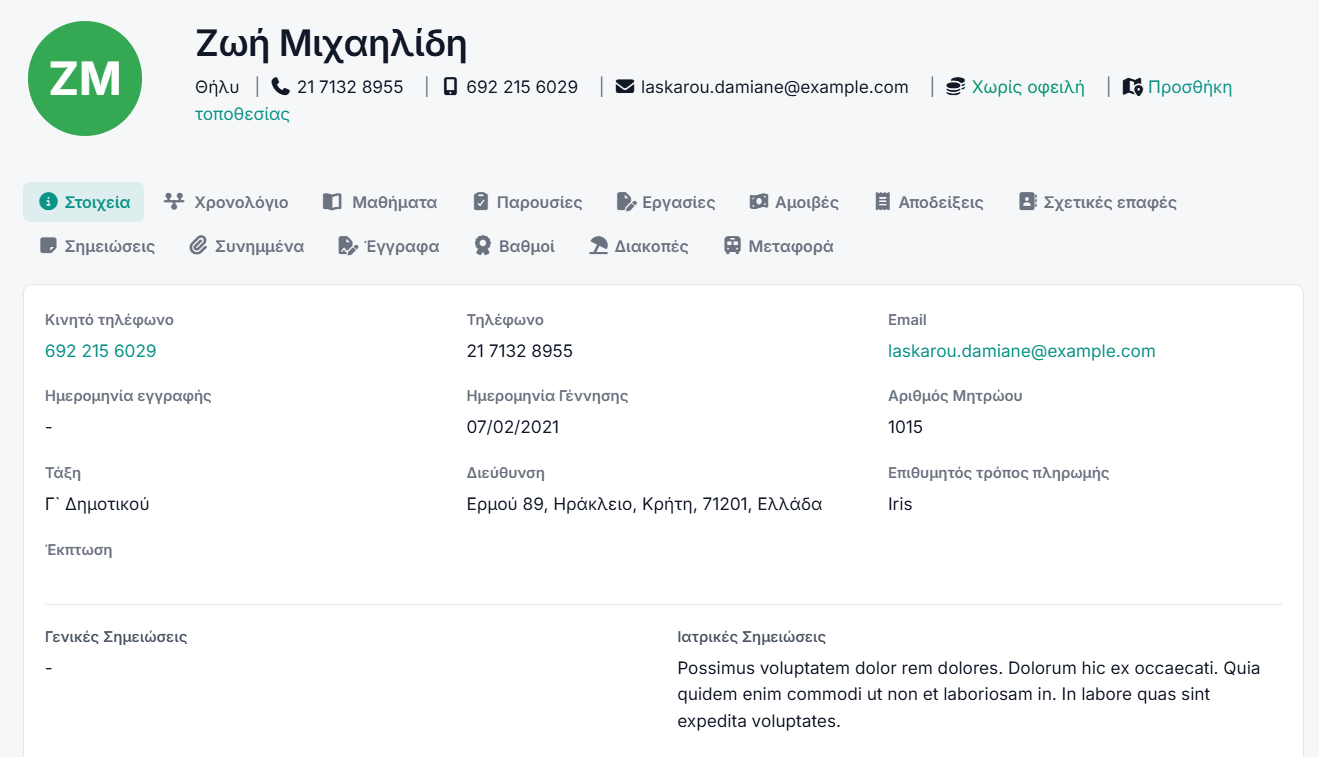
One page per person, with everything about them on it. Guardians have records of their own, linked to children by relationship, so a parent of three appears once.
- The student record — details, family, medical notes, files, history, payments, documents, transport and portal access — on one page.
- Contacts — parents, guardians and relations linked by relationship; one contact can cover several children.
- Teachers and staff — a bio, an hourly rate, the subjects they teach, an attendance register and leave requests.
- Admissions — prospective families from first enquiry to enrolment, with a public form you can share.
- Registry numbers — a warning when a number is already in use, so the registrar decides rather than the system.
- Notes and files — visible to exactly the audience you choose: the office only, the person, their teachers, or their family.
- Custom fields — the fields your school actually keeps, each with its own visibility.
- Birthdays — today’s and the coming week’s, on the dashboard.
Grades and the meal plan
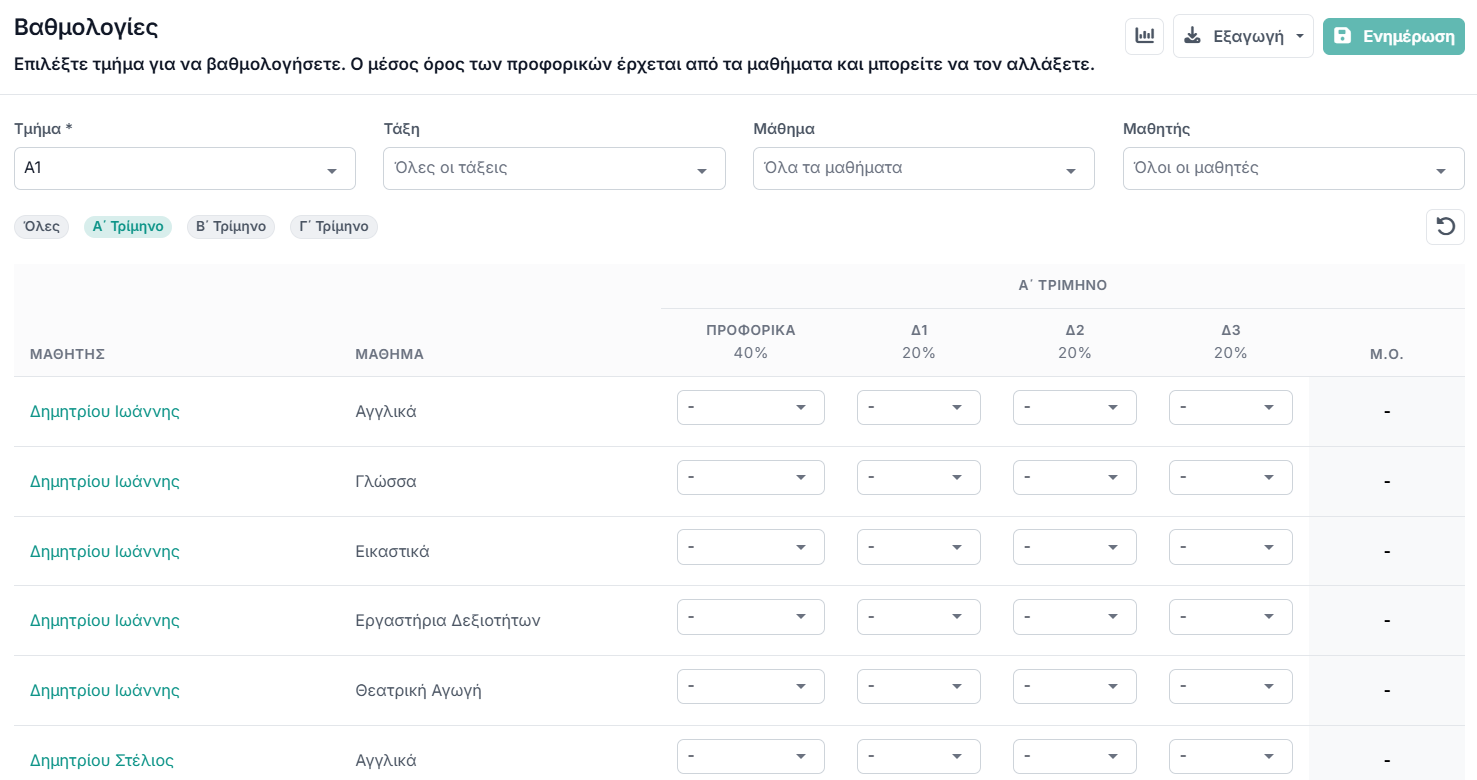
Two modules that not every school wants: grades are on everywhere except nurseries, the meal plan only there. Either can be switched off, and switching one off hides it without deleting anything.
- The gradebook — students against your own assessment types, with oral participation weighted however you decide.
- Your own scales — numeric, letter or descriptive grading, attached per subject.
- Your own exam types — the assessment columns are yours to define.
- Teachers fill it in — from their own portal, restricted to the subjects they teach.
- The weekly menu — by meal type, and printable for the noticeboard.
- The meal register — what each child actually ate — from the office or from a teacher’s phone.
- Parents see their own child — in the family portal, and nobody else’s.
Documents and e-signatures
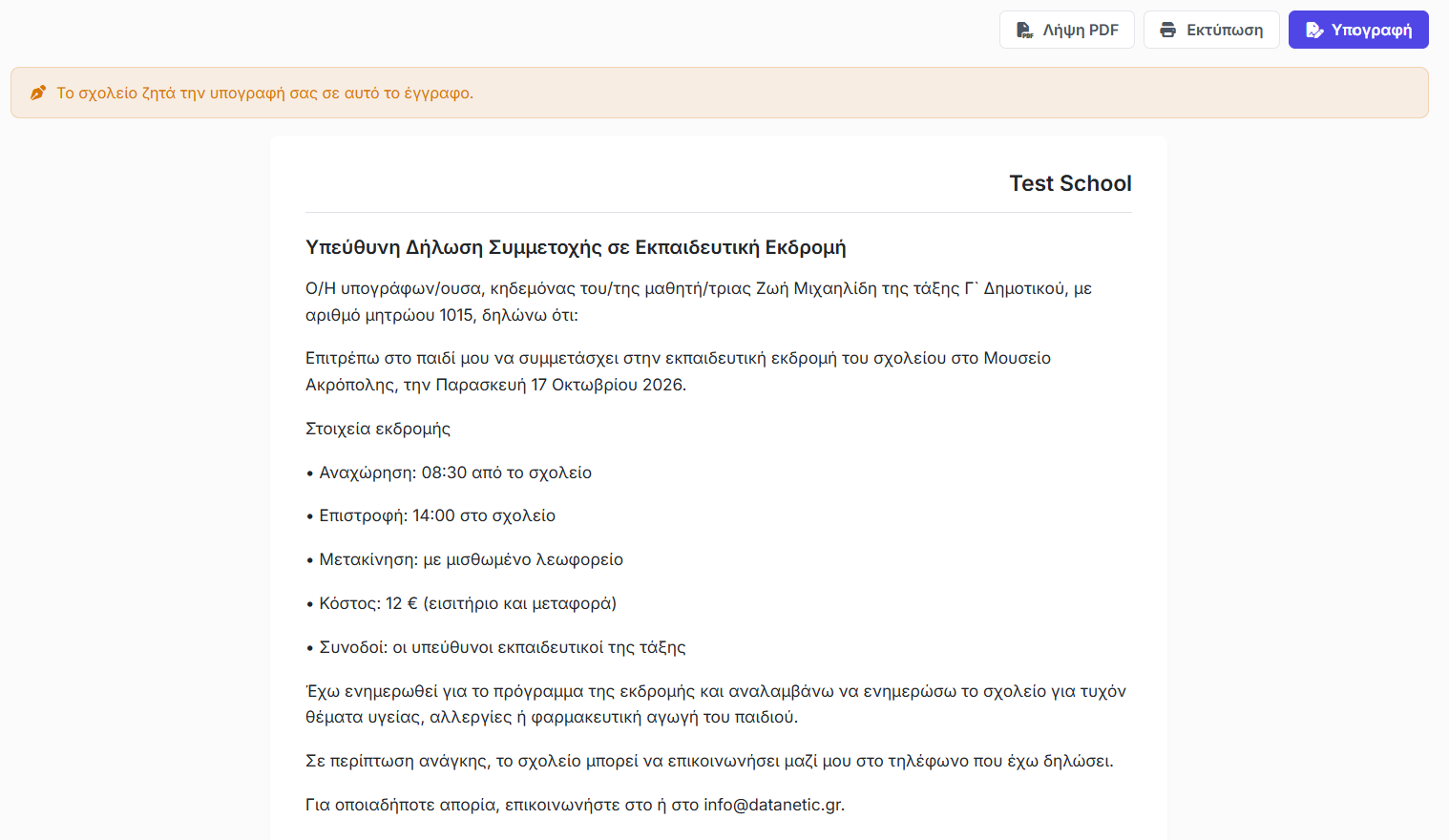
Write the form once, issue it per student, and send a link. Parents sign in the browser without an account, and you can see who still has not.
- Templates you write once — a consent form, certificate or notice, filled in automatically from each student’s record.
- It says what it said on the day — a document keeps the wording it was issued with, so a change next term never rewrites a signed form.
- A link that just opens — no account needed, so it can go to a parent by email or by SMS.
- Signed in the browser — once, with the signer’s name and the time recorded against it.
- A PDF you can file — leading back to the online original, so a paper copy can always be checked.
- Chased for you — the family portal shows how many documents still wait for a signature, so you stop ringing round.
Fees, invoices and expenses
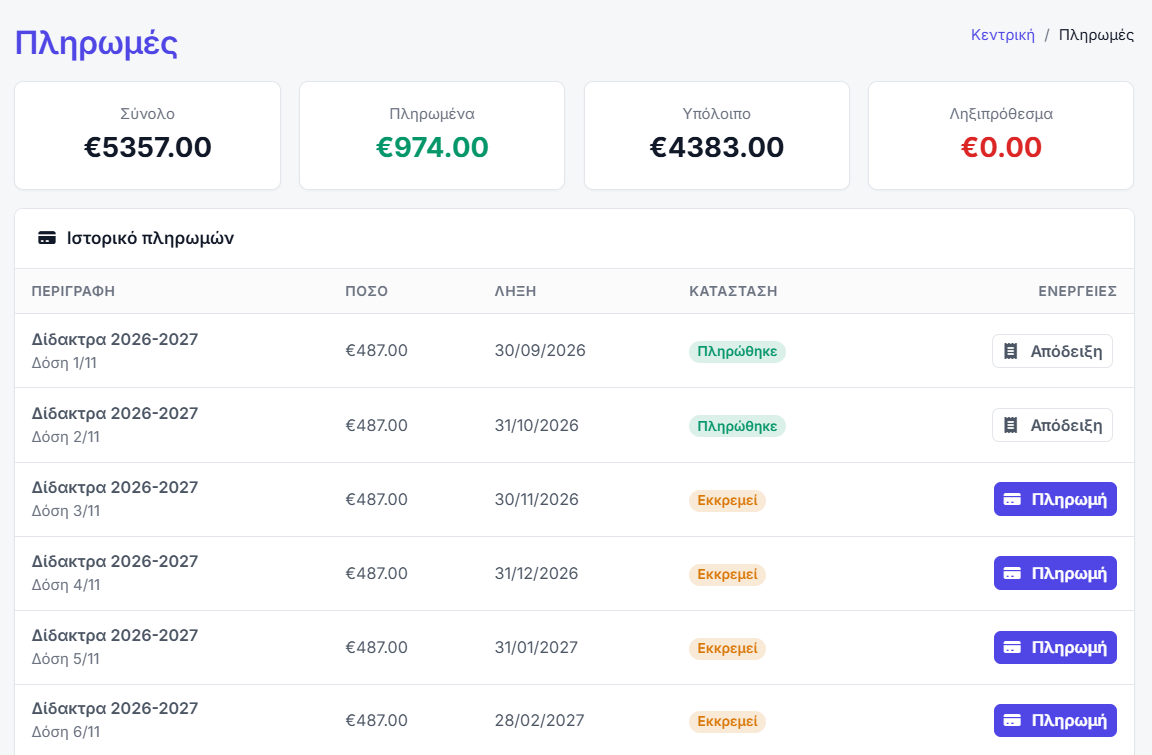
The money side, with the Greek paperwork it actually needs. Parents pay from the portal into the school’s own account — that money goes to you directly.
- Fees and instalments — per student, with paid, unpaid and overdue tracking.
- Greek invoices and receipts — the types a Greek school actually issues, including credit and refund documents, each with its own numbering series.
- Expenses — the other side of the ledger, feeding the profit report.
- Online payment by parents — from the portal into the school’s own payment account, with partial payments allowed or refused as you prefer.
- Receipts in the portal — families download their own without asking the office.
- Fee reminders — upcoming and overdue, by notification, email or SMS, sent automatically and never twice.
- Electronic invoicing to ΑΑΔΕ — documents are transmitted to myDATA and come back stamped, with the code and the QR printed on them — with a button or on their own. The account belongs to the school, and there is a sandbox to practise in first.
School transport
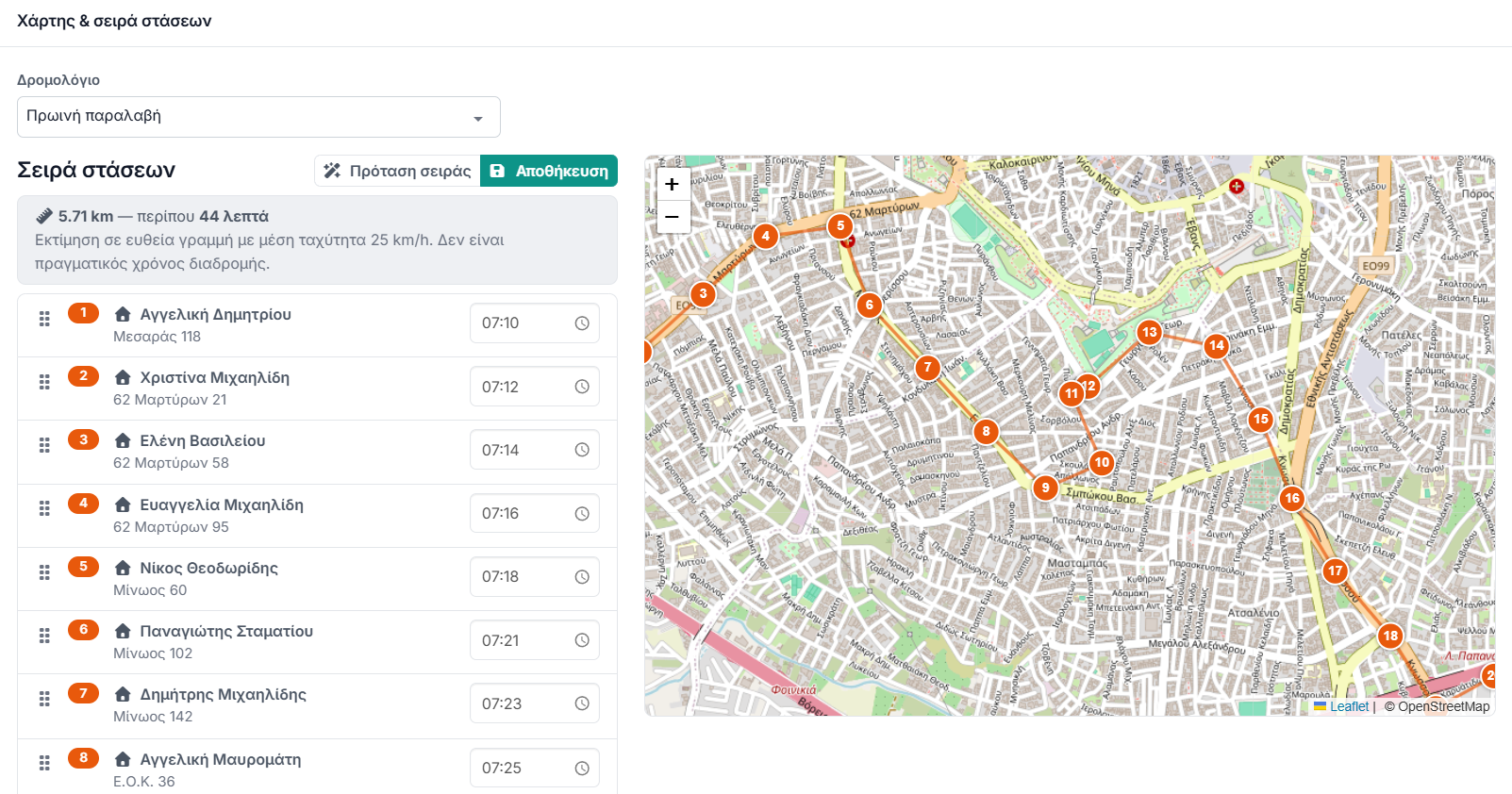
A paid add-on. Routes, buses and stops, a boarding log the crew keeps on a phone, and — where the school allows it — a live bus position for the parent at the stop.
- Routes and trips — timed trips, an ordered list of stops and a student roster per trip.
- Buses and stops — the fleet, and the map of pick-up points.
- A suggested stop order — with estimated minutes per stop, as a starting point for whoever knows the roads.
- Per-child points — a child can be picked up at one place and dropped at another.
- Dismissal times — worked out from each child’s own timetable, so the afternoon runs are built correctly.
- The driver’s screen — start the run, log each child on and off, end the run — built for a phone.
- Live position for parents — while a run is under way, scoped so no family ever sees another child.
- Transport billing — the fee for everyone on a route, in one action.
Email, SMS, announcements and the calendar
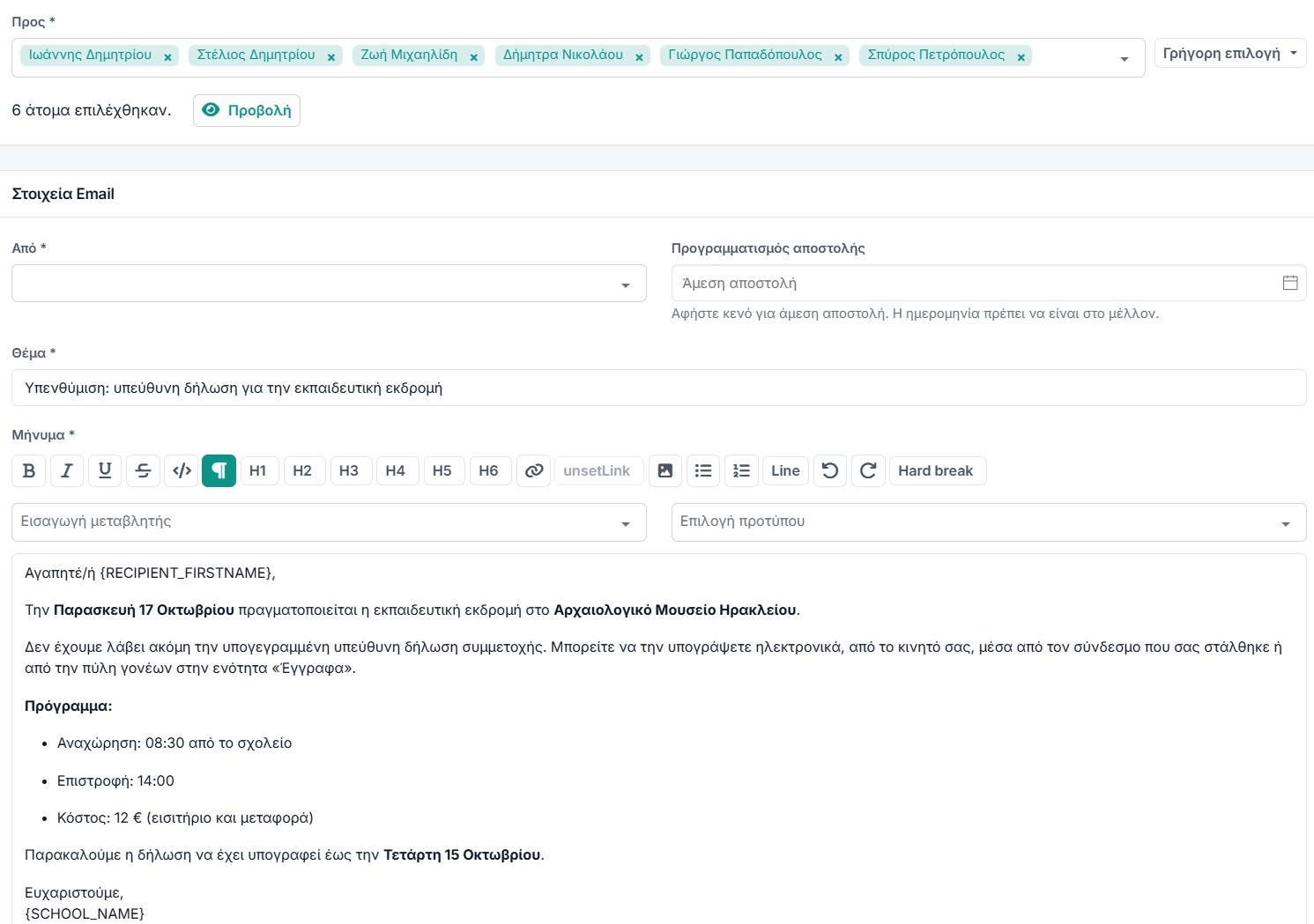
Everything said to many people at once. It goes out from the school’s own address and under the school’s own name, so it arrives as you rather than as a system — and the routine ones go out on their own.
- Your own mailbox — connect the school’s existing email account and messages leave from it, with a signature per user.
- Email to anyone — students, contacts, teachers, staff and prospects, with one click for a whole section and a record of what was sent to whom.
- Bulk SMS — sent under your school’s own registered sender name, with the credit balance in front of you before you send.
- Announcements — in-app, to the audiences you choose, with sent and read counts.
- Templates — reusable email and SMS wording with variables.
- Automatic reminders — a lesson about to start, an event coming up, fees due — each with its own wording, timing, channels and recipients.
- Automatic notifications — an absence, a rescheduled lesson, a shared file, a new invoice, published grades and more — by notification, email or SMS.
- Calendar and events — lessons and events in one filterable view with participants and RSVP, connectable to each person’s own calendar.
Messages between two people
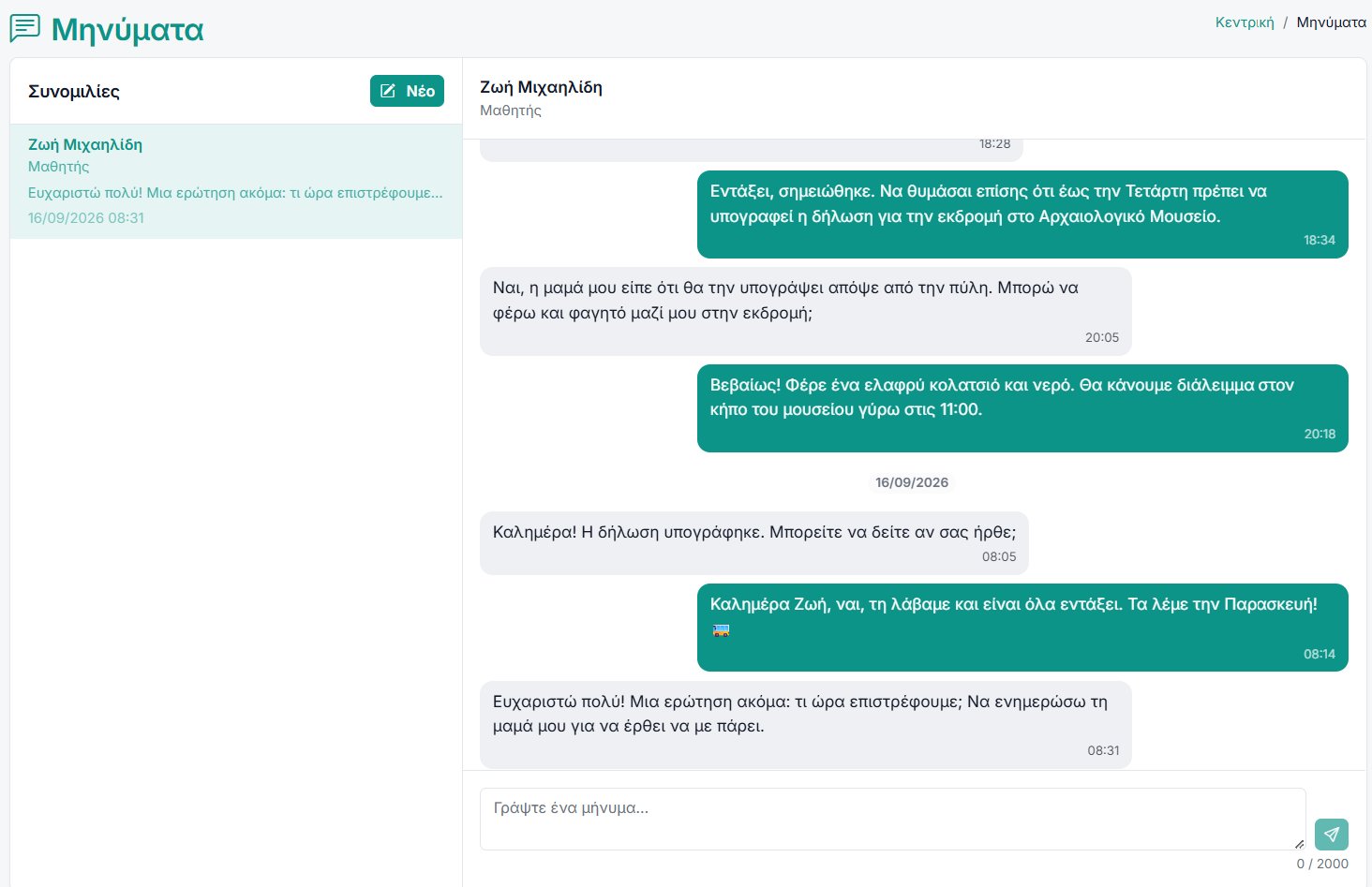
Next to everything sent to many, the conversation of one with one: a thread per pair, inside the system, with no personal phone numbers and no group chats.
- One thread per pair — the whole conversation between two people on one page, however far back it goes.
- Who may write to whom — the office and staff to anyone; a teacher to their own students, those students’ families and the office; a student and a parent to their own teachers. A fixed rule, not a setting that can be left open by mistake.
- In the office and in the portals — the same screen for everyone: the inbox on the left, the thread on the right.
- Unread — a count in the menu, and a line in the thread where you stopped reading.
- No page reload — a reply appears on its own, without wiping what you are typing at the time.
- An email notification — whoever is written to for the first time hears about it in an email that takes them straight there — once, on the first message.
- It stays on the record — what was said and when, with no deletions.
The parent, student, teacher and staff portals
A separate area with its own sign-in, branded with your school. What families can see is a setting: payments, assignments and grades can each be shown or hidden, separately for students and for parents.
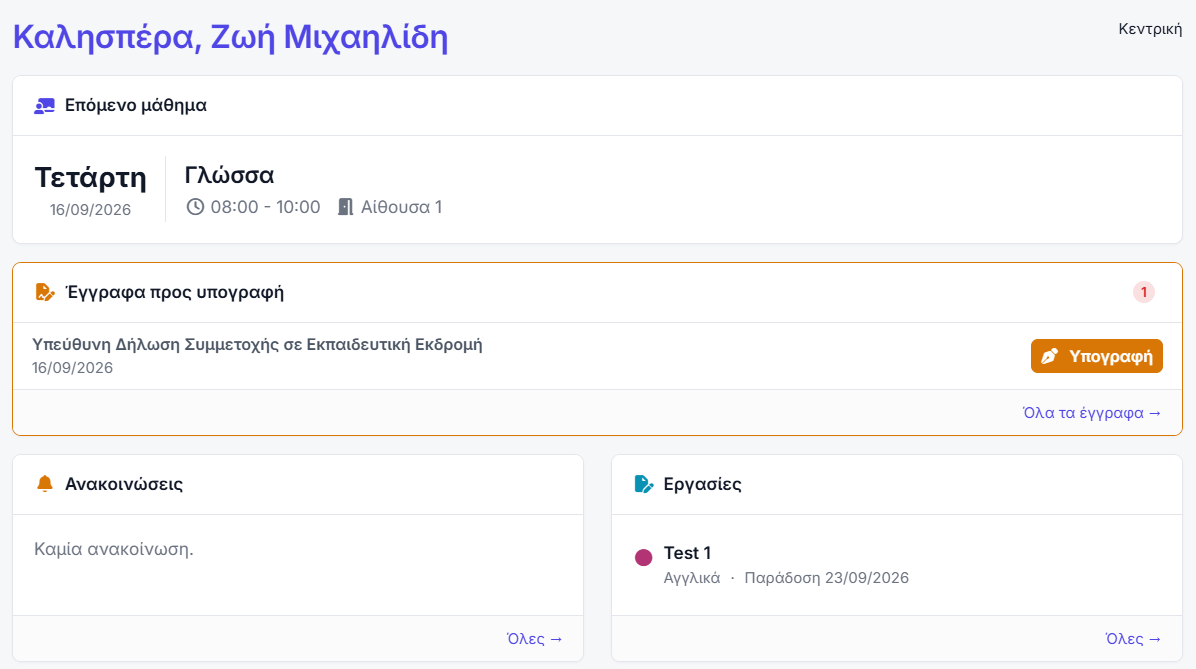
- The family dashboard — the next lesson, documents awaiting signature, the latest announcements and attendance.
- A parent with several children — switches between them at the top of the page.
- Calendar, subjects and attendance — the child’s full programme, subject by subject.
- Notes, files and documents — whatever has been shared with that child, and nothing else.
- Fees and payment — balance, history, receipts and online payment.
- Messages — a parent and a student write to their own teachers; a teacher to their own students, those students’ families and the office.
- The teacher’s day — the day’s lessons with a register button, announcements, birthdays and a to-do list.
- The teacher’s own gradebook — the same grid as the office, restricted to their own subjects.
- Scoped communication — email, text and announcements to their own students and those students’ families — and no further.
- Everyone’s own profile — photo, password, calendar connection and leave requests.
Reports, plotted and listed
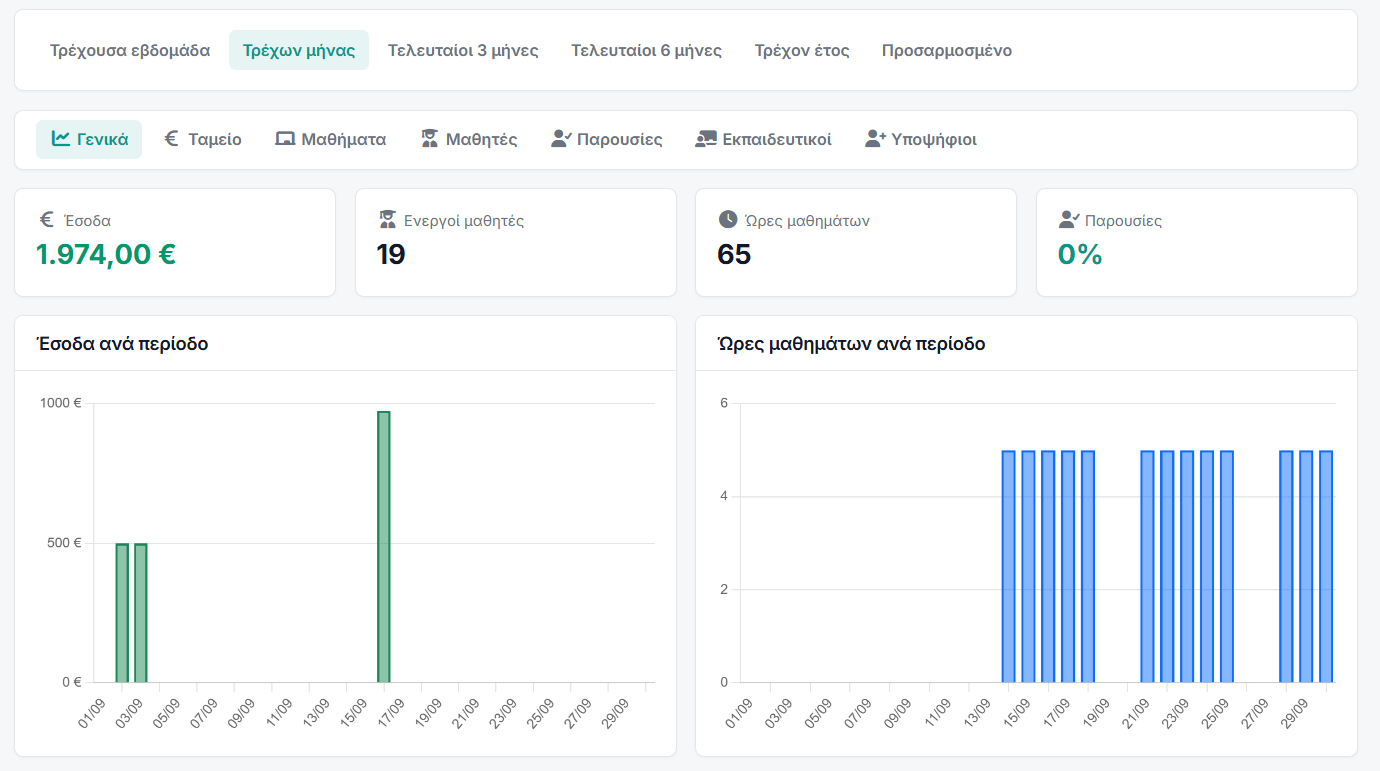
Two screens over the same school: one answers “how are we doing” in figures and charts, the other answers “show me” — lists you can filter and take away as a file.
- A dashboard per side of the school — general, cash, lessons, students, attendance and teachers — each with its headline figures and chart.
- Whatever period you want — a week, a month, a term, the year, or two dates of your own.
- The money — income, expenses, teacher cost and the profit left over, across the same period.
- The teaching and the people — lessons held against lessons cancelled, hours taught, active students, new enrolments and attendance rate.
- Ready-made reports — across people, teaching, finance, communication and management — from rosters and attendance to balances, grades, meals and bus routes.
- Take it away as a file — Excel, CSV or PDF — and the export is everything your filters matched, not just the page you are looking at.
- Only what you may see — a report never shows what you could not open as a page.
The library, news and the recycle bin
The school’s own material, what it publishes, and the safety net for when something is deleted that should not have been.
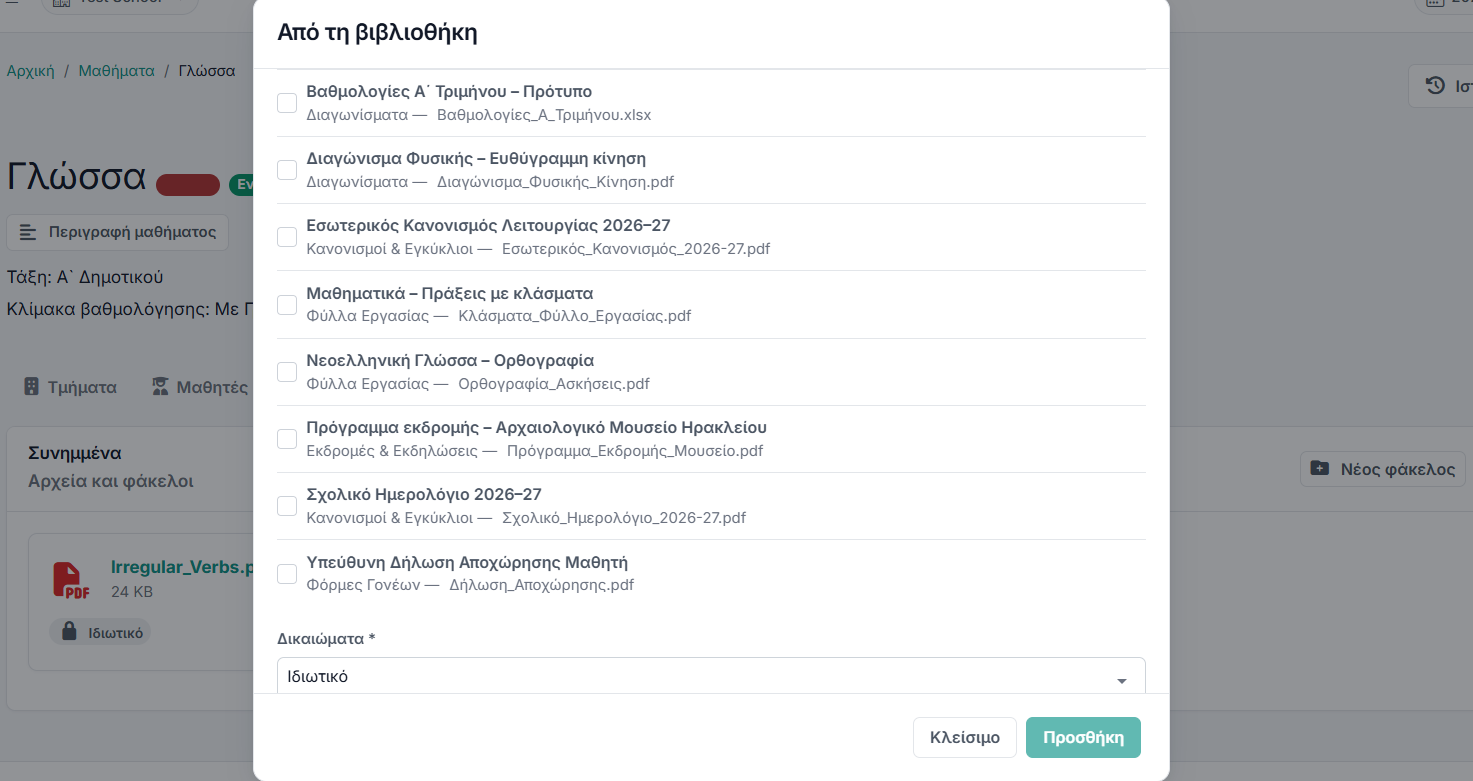
- The library — the school’s files and resources; anything in it attaches to an assignment, a news post or a record without the original ever being at risk.
- News — a school blog, published to the portals and pushed out by email or announcement.
- Inventory — the school’s materials and equipment.
- The recycle bin — everything deleted anywhere in the school, restorable one by one or in bulk.
- Record history — on every record: who changed what, when, and from what to what.
- Search and table control — type-ahead search, and lists that remember how each user likes them arranged.
Permissions, imports, integrations and languages
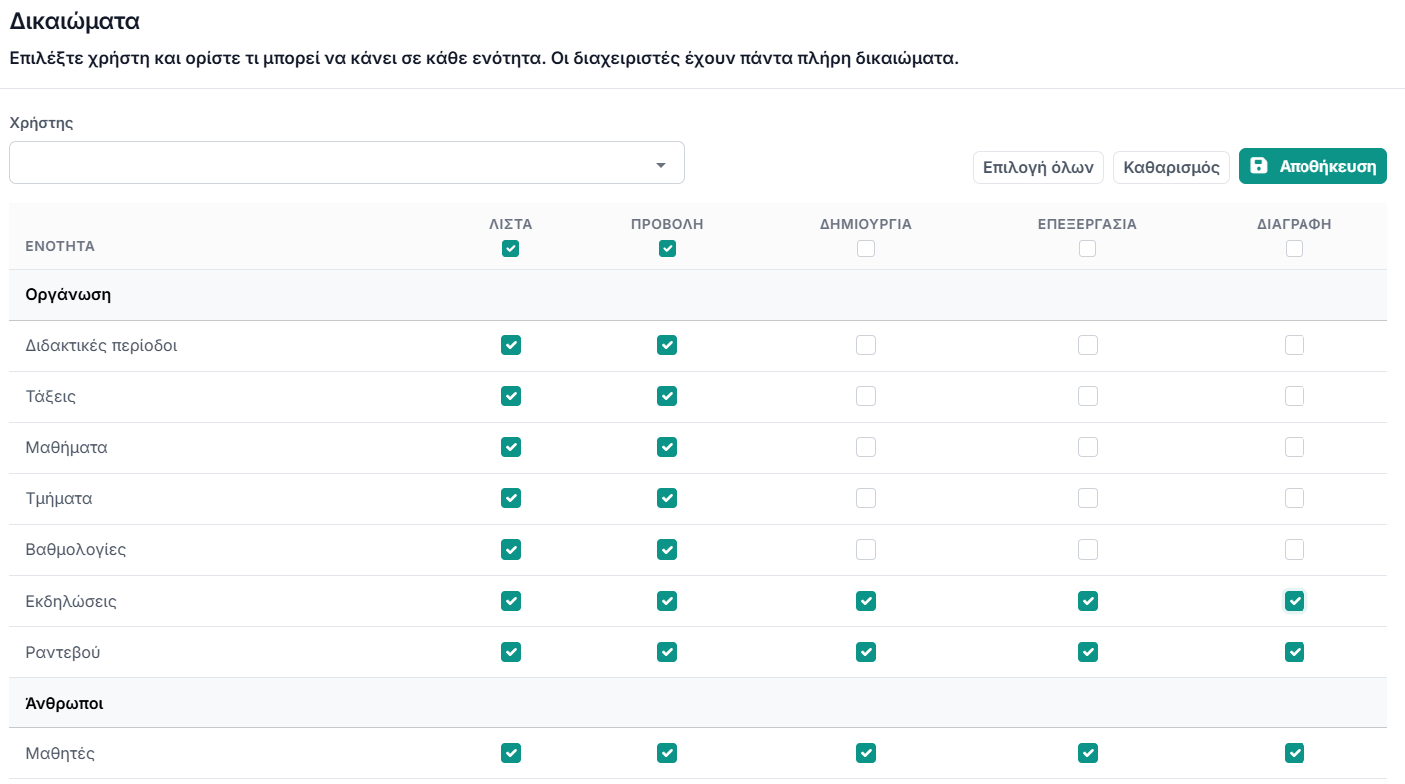
The administrative floor the rest of it stands on. A new colleague starts with access to nothing until you grant it.
- Per-user permissions — what each colleague may see and do, module by module — from reading a list to deleting a record.
- Invite your colleagues — by email; they create their own account from the invitation link.
- Spreadsheet import — students, teachers, staff, contacts and subjects: match your columns to ours and see every row checked before anything is saved.
- Spreadsheet export — the lists you are allowed to see, prepared in the background.
- PDF and Excel — for the calendar, the gradebook, the meal plan and invoices.
- Integrations — payments, SMS and electronic invoicing on the school’s own accounts, each with a button that tests the connection.
- Sign-in — email and password, or a Google or Microsoft account, with an extra confirmation before anything sensitive.
- One account, several schools — switched from the header.
- Greek and English — everywhere — the app, the portals and the automatic messages, which have their own language setting.
- Your own settings — logo, country, currency, timezone and language per school.
Questions about what it does
Set it up with one real class
The free plan is permanent and takes five students, which is enough to try the register, the portal and a document with an actual family.
No card required · Free forever for up to 5 students