Every afternoon, every child accounted for
Who arrived, which activity they are in, who collects them and at what time — with consent forms signed online and parents who get a notification instead of a phone call.
Free forever for up to 5 students · No card required
What after-school centre software has to do
Software for an after-school centre (ΚΔΑΠ) has to know, every afternoon, which children are present, which activity each one is in, and how and when each one gets home. It has to hold a signed consent from the family for everything that needs one, and keep parents informed without the staff stopping what they are doing to answer the phone.
Many centres also collect children from school and drop them home, so the software has to plan routes around each child’s own times. Schoolly does this with activities set up as sections, a register taken from a phone, transport as a paid add-on with per-child pick-up and drop-off points, e-signed documents and a parent portal and app. An after-school centre is set up as a tutoring centre, and the free plan covers up to five children permanently.
What an after-school centre gets
The afternoon, organised before it starts and recorded while it happens.
Activities as sections
Crafts, homework help, theatre or sport: each activity has its staff member, its room, its children and its weekly hours.
A register on arrival
Staff take attendance on a phone, and a parent can be notified automatically when their child is absent.
Pick-up and drop-off
With the transport add-on, a child can be picked up at one point and dropped at another, with the crew logging each one on and off.
Dismissal times from the timetable
Each child’s leaving time is worked out from their own programme, so the evening runs are built correctly.
Consent forms, signed online
Outings, photos, collection by someone else: one template, a link per child, signed in the browser without an account.
Parents on their phone
Attendance, announcements, documents and fees in the family portal and app, with notifications.
Activities and the weekly programme
A centre’s week is a mix of activities, each with its own group of children. The timetable holds them without clashes.
- One section per activity — a staff member, a group of children, a room and a weekly schedule.
- No double-booking — of a staff member or a room, checked as you build the week.
- Cancelled sessions — recorded in the register, with the families told automatically.
- Holidays respected — by the timetable and the reminders alike.
- Calendar and events — an outing or a party, with participants and RSVP.
Getting children there and home
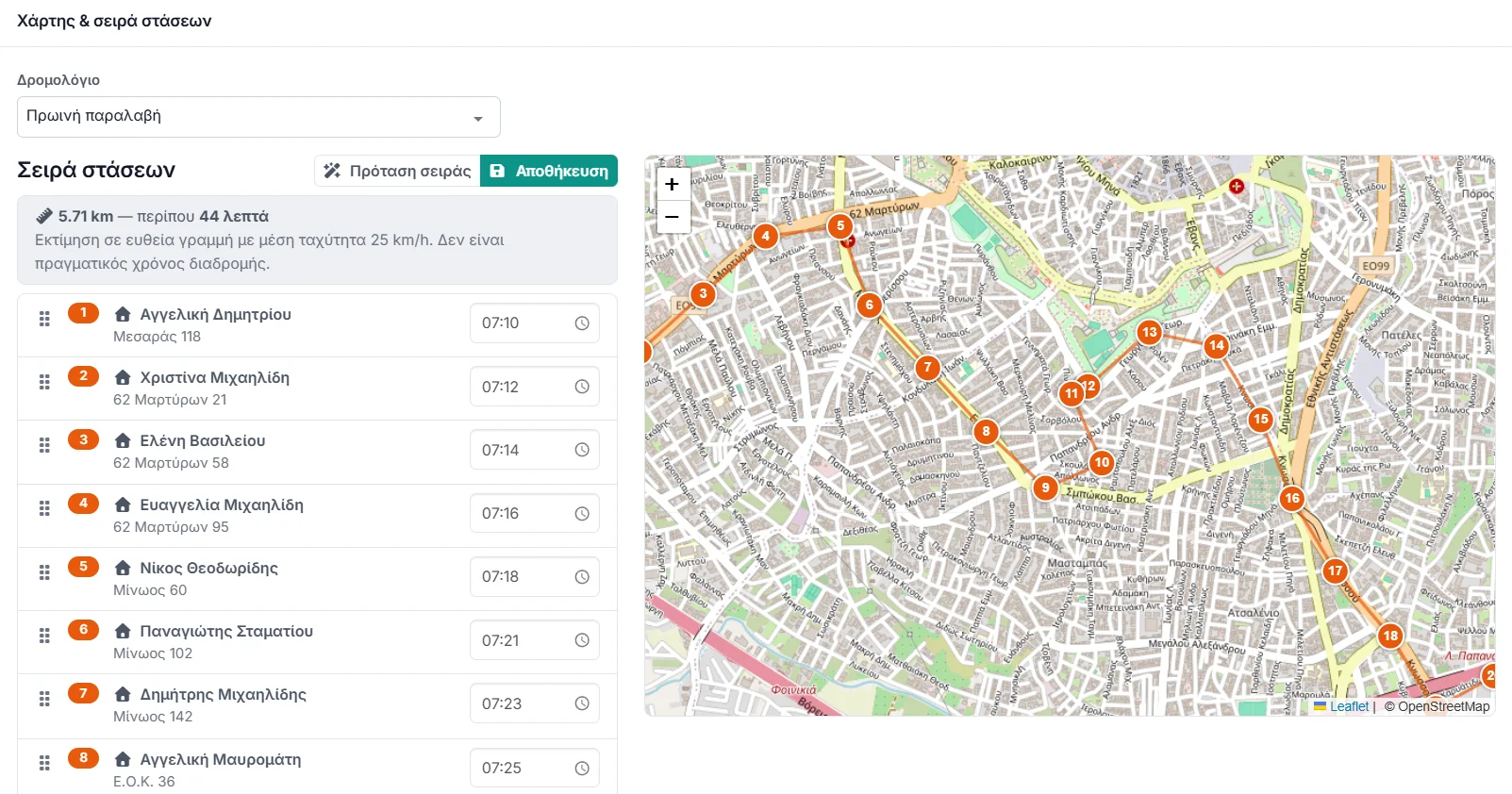
Transport is a paid add-on. It is built for runs where each child has their own point and their own time.
- Routes, buses and stops — timed trips with an ordered list of stops and a roster per trip.
- Per-child points — picked up outside their school, dropped at home or at a grandparent’s.
- The driver’s screen — start the run, log each child on and off, end the run — on a phone.
- Live position for parents — while a run is under way, where the centre allows it.
- Transport billing — the fee for everyone on a route, in one action.
Families and the office
Everything parents ask about, answered before they ask.
- Contacts linked to children — parents, guardians and relations, with siblings under one family.
- Medical notes and files — on the child’s record, visible only to those you choose.
- Fees and receipts — instalments, reminders, online payment into your account and receipts transmitted to myDATA.
- SMS and email — to every family or one activity, under your own name and from your own address.
Common questions
Set up one activity and one afternoon
Five children, free and permanent: enough to take a real register, send a real consent form and see how the parent portal looks.
No card required · Free forever for up to 5 students