From Junior to Proficiency, in one system
Levels, groups, mock-test results, absences, fees and the receipts that go to ΑΑΔΕ — with a portal where parents see how their child is doing before the exam, not after it.
Free forever for up to 5 students · No card required
What language school software has to do
Software for a language school (κέντρο ξένων γλωσσών) has to follow each student through a ladder of levels, year after year, while keeping track of their group, their attendance, their test results and their fees. It also has to grade the way exam preparation actually works — by skill, by mock test, on the school’s own scale — rather than the way a state school report card does.
In Greece it must issue receipts that are transmitted to ΑΑΔΕ through myDATA, and keep parents informed without the office spending the afternoon on the phone. Schoolly does all of this in one place, in Greek and English. A language school is set up as a tutoring centre, and the free plan covers up to five students permanently.
What a language school gets
The yearly cycle of levels, groups and exams, set up once and carried forward.
Levels with a next step
Set up your levels as classes, each with a route to the one after it, so moving a student up at the end of the year is a step, not a re-entry.
Groups per level
Two Β2 groups on different days, each with its own teacher, room and hours, and no teacher or room booked twice.
Grading for exam prep
Define your own assessment types — a mock test, a writing task, speaking — and your own numeric, letter or descriptive scale.
Absences, taken in class
Teachers mark attendance from their phone, and the parent can be notified of an absence automatically.
Fees and myDATA receipts
Fees in instalments per student, and receipts transmitted to ΑΑΔΕ with the code and QR printed on them.
Parents in the loop
Timetable, absences, published grades, balance and receipts in the family portal and the app, with online payment to your account.
Levels, groups and the new school year
A language school’s year is a ladder. The system keeps each rung separate and moves students up it when you say so.
- Classes as levels — from the youngest beginners to the certificate classes, each with its own subjects and weekly hours.
- Progressions — a route from each level to the next, used when the year rolls over.
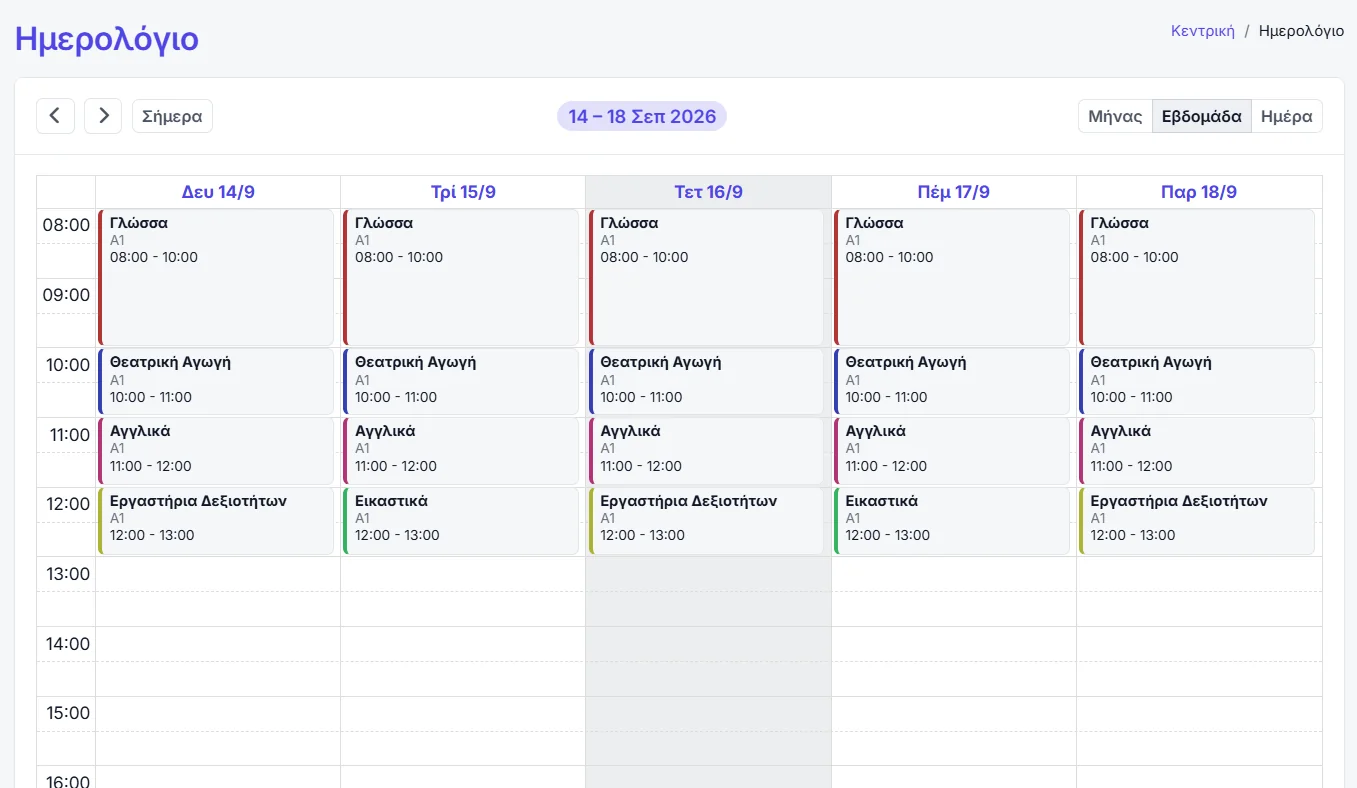
- Sections per group — a teacher, a group of students, a room and a weekly schedule, with clashes caught as you build it.
- Year rollover — a guided transfer of classes, subjects, sections and people into the new teaching period, copying only what you choose.
- Every year kept apart — last year’s groups and grades stay where they were, readable but out of the way.
A gradebook built for exams
Certificate preparation is measured in mock tests and skills, not in term averages. The gradebook is yours to shape.
- Your own assessment types — the columns of the gradebook are defined by you, so they can follow the exam you prepare for.
- Your own scales — numeric, letter or descriptive, attached per subject.
- Oral participation — weighted however you decide.
- Teachers fill it in — from their own portal, only for the groups they teach.
- Shown to families when you choose — grades can be shown or hidden, separately for parents and for students.
Fees, receipts and parents
The office side of a language school, with the Greek paperwork and without the phone calls.
- Instalments per student — with paid, unpaid and overdue tracking, and reminders by notification, email or SMS.
- Receipts to myDATA — with a button or automatically on issue, on the school’s own account, with a sandbox to practise in first.
- Online payment — from the portal straight into the school’s own payment account.
- SMS under your own name — a cancelled lesson or an exam-day reminder to a whole group, from your registered sender name.
Common questions
Set up one level and one group
Five students, free and permanent: enough to build a real timetable, grade a real mock test and send a real receipt.
No card required · Free forever for up to 5 students